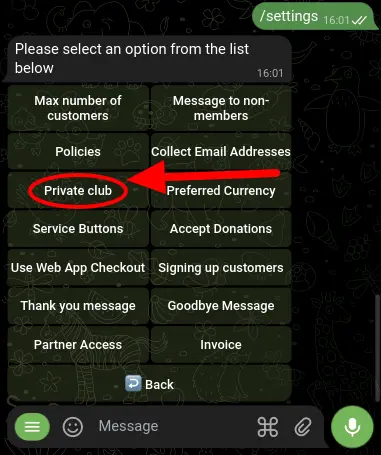
Private, invite-only community
Are you interested in turning your Telegram membership bot into a private and invite-only community? With BotSubscription's affiliate add-on, you can do just that.
By enabling this option, only selected invitees will have access to your bot and be able to purchase a membership. As the bot owner, you can generate an affiliate link for yourself and invite someone to join. Once they're in, they can create their own affiliate link and invite others to join as well.
Keep in mind that none of these users will be able to access your premium content without subscribing first.
To activate the "Private Club" feature, go to the /settings menu of your bot and select "Project Settings," then "Private Club." It's important to note that this feature can only be used if the affiliate add-on is already installed.